Music Distribution for Independent Artists: A Complete Beginner’s Guide
TL;DR
Music distribution is the process of getting your songs from your computer to platforms like Spotify, Apple Music, YouTube Music, Amazon Music, TikTok, Instagram, and more. Independent artists usually need a distributor because most major streaming platforms do not allow direct uploads from every artist. The best choice is not always the cheapest distributor; it is the one that gives you reliable delivery, clear royalty terms, useful platform coverage, and enough support to protect your release.
Introduction
Releasing music is easier than it used to be, but distributing it properly still requires planning. A beginner can upload a song through a digital distributor in a single session, yet the difference between a clean release and a messy one often comes down to details: metadata, rights ownership, artwork, release timing, artist profile access, playlist pitching, and royalty tracking.
For independent artists, distribution is not just a technical upload step. It is the system that connects your music to the platforms where listeners search, save, share, and replay songs. Streaming remains a central part of the recorded music business, with IFPI reporting continued global revenue growth and streaming as the dominant recorded music format. (IFPI Global Music Report 2026)
This guide explains how music distribution works, how to compare distributors, what to prepare before uploading, and what to do after your release goes live. It is written for independent artists, producers, and small labels who want a practical route from finished master to public release without avoidable mistakes.
Table of Contents
- What a Music Distributor Actually Does
- Set Up the Release Before You Upload Anything
- Choose a Distributor by Deal Terms, Not Hype
- Prepare Metadata, Audio, Artwork, and Rights
- Build a Release Timeline That Leaves Room for Pitching
- After Release: Claim Profiles, Check Delivery, and Track Royalties
- Distribution Mistakes That Can Cost You Money or Momentum
- How BlockTone Records Can Support Your Release
- Frequently Asked Questions
Key Takeaways
| Point | Details |
|---|---|
| You usually need a distributor | Most independent artists use distributors to deliver music to major streaming platforms and collect master recording royalties. |
| Release timing affects promotion | Uploading early gives you time to fix issues, pitch unreleased music, prepare links, and build pre-release content. |
| Metadata matters | Artist names, song titles, credits, featured artists, explicit labels, and copyright information affect how your release appears and how royalties are routed. |
| Cheap is not always best | Compare annual fees, commission, platform coverage, payout terms, support quality, YouTube Content ID, and catalog control. |
| Distribution is not promotion | A distributor can make your music available, but you still need a release strategy, content plan, audience development, and follow-up promotion. |
What a Music Distributor Actually Does
A music distributor is the bridge between your finished release and digital service providers, often called DSPs. These include streaming platforms, download stores, social platforms, short-form video apps, and sometimes content identification systems.
For independent artists, a distributor usually performs five core jobs: delivering audio and metadata, formatting the release for platform requirements, collecting master recording royalties, paying those royalties to the artist or rights holder, and helping manage updates, takedowns, or corrections.
Spotify’s own artist guidance explains that music is uploaded through distributors, which also handle licensing, distribution, and royalty payments when listeners stream. (Spotify for Artists) Apple Music also directs independent artists and smaller labels toward approved distributors for getting music onto Apple Music and the iTunes Store. (Apple Music for Artists)
Distribution is not the same as publishing
This is one of the first concepts independent artists need to understand. Distribution mainly handles the master recording: the final audio recording you upload. Publishing deals with the composition: the underlying song, lyrics, melody, and songwriter royalties.
If you wrote, produced, recorded, and released the song yourself, you may control both the master and the composition. If you used a leased beat, collaborated with a producer, included a sample, worked with another songwriter, or released a remix, the rights situation may be more complex.
A distributor does not automatically register your songs with a performance rights organization, collect every type of publishing royalty, clear samples, or resolve ownership disputes. Some distributors offer publishing administration as an additional service, but it is separate from basic distribution.
Distributor, aggregator, and label: what is the difference?
A distributor or aggregator delivers music to platforms and collects royalties from the master recording. A label may provide broader support, such as funding, marketing, creative direction, campaign management, radio promotion, press outreach, and long-term artist development.
For a beginner, the practical question is simple: do you only need delivery, or do you need strategic support around the release? If your main need is to get one finished single onto streaming platforms, a standard distributor may be enough. If you need positioning, campaign planning, visual direction, or release management, label-style support may be more relevant.
Set Up the Release Before You Upload Anything
A strong release starts before you open a distributor dashboard. Rushing into the upload form often creates avoidable problems later, especially with metadata, credits, release dates, and rights.
Start by deciding what the release is meant to achieve. A debut single, club track, acoustic demo, instrumental sync pitch, and EP for existing fans should not all be released the same way. Each one needs a different timeline, content plan, and promotional angle.
Clarify the goal of the release
Before uploading, ask what success would realistically look like for this specific release. For a first single, success might mean getting your artist profiles set up correctly, collecting early listener data, and building a repeatable release workflow. For a later single, success might mean growing saves, testing short-form video ideas, or converting existing followers into repeat listeners.
Avoid setting a vague goal like “go viral.” That is not a release plan. A better goal might be: “Use this single to introduce the project, claim all artist profiles, pitch Spotify editorial, create ten short-form clips, and build a mailing list signup around the release.”
Choose the right release format
For many beginners, a single is the cleanest first release. It gives you one song to promote, one piece of artwork to test, one pitch to write, and one set of performance data to analyze.
EPs and albums can work well when you already have a fanbase, live schedule, press angle, visual campaign, or concept that supports a larger release. But releasing ten songs with no audience plan can dilute attention. One strong single with a clear story, consistent visuals, and post-release content is often more useful than a larger project with no campaign.
Create a simple release brief
Before distribution, prepare a one-page release brief. Include the artist name, release title, release date, main genre, secondary genre, mood, sonic references, clean or explicit status, collaborators, credits, target audience, main promotion channels, visual direction, and a one-sentence pitch.
This brief helps you fill out distributor metadata, write platform pitches, brief designers, prepare social posts, and keep your messaging consistent. It also forces you to think like a campaign manager instead of treating distribution as a last-minute upload.
Choose a Distributor by Deal Terms, Not Hype
There is no single best music distributor for every independent artist. The right choice depends on how often you release, your budget, your support needs, how many artists you manage, and which extra services matter to you.
Some distributors charge an annual subscription. Some charge per release. Some take a commission from royalties. Some offer extras such as publishing administration, YouTube Content ID, neighboring rights, analytics, split payments, sync opportunities, playlist tools, or label services.
Compare the business model
| Distributor Model | How It Usually Works | Best For | Watch Out For |
|---|---|---|---|
| Annual subscription | You pay yearly to keep releasing music | Artists who release often | What happens to your catalog if you stop paying |
| Per-release fee | You pay for each single, EP, or album | Artists who release occasionally | Extra costs for updates, stores, or add-ons |
| Commission-based | The distributor keeps a percentage of royalties | Artists who prefer lower upfront costs | Higher long-term cost if revenue grows |
| Label services | Distribution plus campaign support | Artists with traction or larger plans | Selectivity, revenue share, or contract terms |
The mistake is choosing based only on phrases like “keep 100% of royalties” or “free distribution.” Read the full terms. A distributor can be cheap upfront but limited in customer support, slow with takedowns, unclear about add-ons, or inconvenient when you need to move your catalog later.
Check platform coverage
Most independent artists want their releases on Spotify, Apple Music, YouTube Music, Amazon Music, Deezer, TIDAL, TikTok, Instagram and Facebook music libraries, and SoundCloud where relevant. However, platform coverage varies by distributor and territory.
Spotify maintains a provider directory for companies that deliver music to the platform, while Apple Music has a partner directory for distributors and services that can support content delivery, lyrics, credits, motion artwork, and other features. (Spotify Provider Directory) (Apple Music Partner Directory)
Evaluate support before you need it
Support quality matters most when something goes wrong. Common problems include a release landing on the wrong artist profile, incorrect featured artist formatting, delayed takedowns, royalty reporting confusion, blocked tracks, or Content ID disputes.
Before choosing a distributor, look for clear support channels, transparent payout reporting, fast correction processes, artist profile help, split-payment tools, team access, reliable takedown policies, and practical support for YouTube Content ID or social platform issues.
A distributor is not just an upload button. It becomes part of your release infrastructure, so choose one that fits your long-term workflow.
Prepare Metadata, Audio, Artwork, and Rights
Many distribution problems come from preventable errors. Your song may sound finished, but DSPs also need structured information. Clean metadata and rights preparation can prevent delays, incorrect profiles, missing credits, and royalty confusion.
Metadata checklist
- Artist name spelled consistently
- Release title
- Track title
- Version information, such as “Radio Edit,” “Acoustic,” or “Instrumental”
- Primary artist, featured artist, remixer, producer, and songwriter credits
- Genre and subgenre
- Language
- Explicit or clean status
- ISRC, if you already have one
- UPC, usually assigned by the distributor if needed
- Copyright and phonographic copyright lines
- Release date and territory settings
Avoid putting promotional language into song titles, such as “new single,” “official audio,” “viral hit,” or “2026 release,” unless that wording is genuinely part of the title and allowed by the platform. Keep titles clean, accurate, and professional.
Audio file basics
Use the highest-quality master your distributor accepts. Most distributors request lossless files such as WAV. Do not upload an MP3 unless the service explicitly accepts it and you have no better source.
Before uploading, listen through the exported file from start to finish. Check the intro, outro, silence, glitches, clipping, clean or explicit version, and whether the file matches the exact title you are submitting.
Artwork basics
Cover art should be clear at thumbnail size. It should not include misleading platform logos, unauthorized brand marks, copyrighted imagery you do not control, or text that conflicts with the release title.
If you use photography, make sure you have permission from the photographer and any visible subjects where required. If you use AI-generated artwork, stock images, or a designer’s work, confirm that your license allows commercial music release use.
Rights checklist
- You own or control the master recording.
- All producers and collaborators have approved the release.
- Royalty splits are agreed in writing.
- Samples are cleared where required.
- Beat licenses permit commercial distribution.
- The artist name does not impersonate another artist.
- You have permission for artwork, logos, photography, and visual assets.
This matters because platforms and industry organizations are paying closer attention to fraud, impersonation, and manipulated streaming activity. Spotify also warns artists against artificial streaming and paid services that promise guaranteed streams or playlist placement. (Spotify for Artists Help)
Build a Release Timeline That Leaves Room for Pitching
Some distributors can deliver music quickly, but that does not mean you should release tomorrow. A beginner-friendly timeline is usually three to four weeks from upload to release day. That gives you room to correct errors, claim profiles, create content, prepare links, and pitch where eligible.
| Timing | What to Do |
|---|---|
| 4 weeks before release | Finalize master, artwork, metadata, rights, and release brief. |
| 3 weeks before release | Upload through your distributor and check delivery status. |
| 2 weeks before release | Prepare short-form videos, email copy, press notes, and pre-save links. |
| 7+ days before release | Pitch one unreleased song through Spotify for Artists if eligible. |
| Release week | Verify links, update bios, post content, contact supporters, and monitor errors. |
| 1–2 weeks after release | Review data, continue content, follow up with tastemakers, and plan the next move. |
Spotify says artists can pitch an upcoming unreleased song to playlist editors through Spotify for Artists, and recommends delivering music at least seven days before release to give editors time to listen. Spotify also notes that pitching at least seven days before release can help the song appear in followers’ Release Radar playlists. (Spotify Playlist Pitching Help)
Write a better platform pitch
A useful pitch is specific. Do not write only, “This is my best song yet.” Instead, include genre, mood, instruments, production style, cultural context, release plan, audience signals, and the real story behind the track.
Mention genuine momentum if you have it, such as live activity, press coverage, social growth, creator support, radio play, or a strong previous release. Do not exaggerate. Playlist pitching is a professional communication tool, not a place for hype without evidence.
Also remember that playlist pitching does not guarantee placement. Treat it as one channel in a wider release strategy that includes short-form video, direct fan communication, collaborations, live performance, community building, and consistent post-release activity.
After Release: Claim Profiles, Check Delivery, and Track Royalties
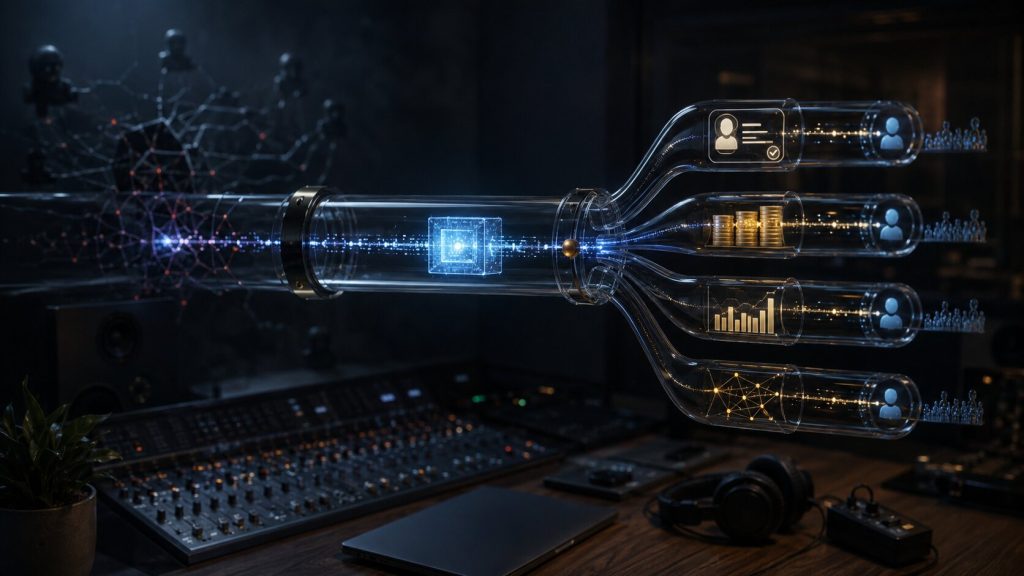
Distribution does not end on release day. Once your music is live, you need to verify that it landed correctly and that you have access to the main artist tools.
Claim your artist profiles
Claiming artist profiles lets you update images, view analytics, manage team access, and use platform-specific tools. Spotify for Artists gives artists access to profile management, audience data, playlist pitching, and related release tools. Apple Music for Artists allows artists to claim pages, view performance insights, and manage artist presence once their music is live.
Apple says content must be live on Apple Music for at least five business days before an artist can claim their page through Apple Music for Artists. (Apple Music for Artists Claiming Guide) YouTube also has eligibility requirements for Official Artist Channels, including having at least one official music release on YouTube delivered by a distributor or label. (YouTube Help)
Check the release everywhere it matters
- Spotify artist profile
- Apple Music artist page
- YouTube Music and YouTube topic channel
- Amazon Music
- TikTok music library
- Instagram and Facebook music libraries
- SoundCloud, if included in your plan
- Shazam linkage
- Lyrics provider, if submitted
- Correct explicit label
- Correct featured artist formatting
If your music appears incorrectly, contact your distributor first. Platforms often require corrections to come from the distributor or label that delivered the release. Apple Music’s artist support guidance also directs artists to their distributor for many delivery and metadata issues. (Apple Music for Artists FAQs)
Understand royalty timing
Royalties are not paid instantly. DSPs report usage to distributors after the listening period closes, and distributors process payments according to their own reporting schedules, payout thresholds, payment methods, and terms.
Before you release, read your distributor’s payout policy. Check when royalties are reported, how often payments are made, whether there is a minimum payout threshold, which payment methods are supported, and whether fees are deducted before you receive funds.
Distribution Mistakes That Can Cost You Money or Momentum
The most damaging distribution mistakes are rarely dramatic. They are usually small errors repeated across releases. Avoiding them gives your music a better professional foundation.
Mistake 1: Choosing the wrong artist name format
If your artist name is similar to another act, your release may land on the wrong profile. Search major platforms before release. Use consistent spelling, capitalization, and punctuation. Once your profiles are available, claim them and monitor delivery closely.
Mistake 2: Uploading too close to release day
Last-minute uploads reduce your ability to fix errors, pitch Spotify, create content, build a pre-save campaign, and confirm links. Even if the release goes live, you may lose promotional opportunities that require lead time.
Mistake 3: Ignoring collaborator rights
A handshake agreement is not enough when royalties arrive. Confirm splits, licenses, approvals, and permissions before uploading. If a producer, vocalist, songwriter, or rights holder later disputes the release, you may face takedowns, payment delays, or damaged relationships.
Mistake 4: Paying for guaranteed streams
Avoid companies promising guaranteed streams, guaranteed Spotify playlist placement, or artificial engagement. Spotify says paid third-party services that sell streams or guaranteed playlist placement violate its terms and can lead to music being removed. (Spotify Artificial Streaming Policy)
Mistake 5: Treating distribution as promotion
Distribution makes your music available. It does not automatically create demand. You still need content, community, direct fan communication, live activity, collaborations, press outreach, playlist pitching, and consistent follow-up.
A realistic first-release goal is not instant viral growth. It is a clean release, correct profiles, usable data, a repeatable workflow, and a stronger foundation for the next campaign.
How BlockTone Records Can Support Your Release
For independent artists, distribution is only one part of a successful release. The harder challenge is turning a finished song into a professional campaign: positioning the track, preparing assets, shaping the release timeline, avoiding metadata mistakes, and building momentum after the song goes live.
BlockTone Records helps artists think beyond the upload stage. Whether you are preparing your first single or organizing a larger release plan, the goal is to make each step more intentional: cleaner rollout, stronger presentation, smarter platform setup, and fewer beginner errors.
A good distribution plan does not promise overnight success. It gives your music the best possible starting point.
FAQs About Music Distribution for Independent Artists
Do independent artists need a music distributor?
How much does music distribution cost?
How early should I upload my music before release?
Can I upload directly to Spotify without a distributor?
What is the difference between Spotify for Artists and a distributor?
Can a distributor guarantee playlist placement?
What should I do if my release appears on the wrong artist profile?
Sources Used
- Spotify for Artists – Get started
- Spotify for Artists Help – Pitching music to playlist editors
- Spotify for Artists Help – Third-party services that guarantee streams
- Spotify for Artists – Provider directory
- Apple Music for Artists – Get your next release on Apple Music
- Apple Music for Artists – Claim your account
- Apple Music for Artists – FAQs
- Apple Music for Artists – Partner directory
- YouTube Help – Official Artist Channels
- IFPI – Global Music Report 2026